A work item is one piece of work your team needs to do: a feature, a fix, a chore. Items live in a project, have a key like ACM-42, and carry everything about the work in one place: the description, who owns it, its status, and the conversation around it.
What an item holds
Every item has:
- A key. The team key plus a number, such as
ACM-42. Keys never change, so you can paste them into chat or a commit message and anyone can find the item. - A title and a description. Descriptions are written in a rich editor that saves as Markdown.
- A type. Spool starts every workspace with Epic, Story, Task and Bug.
- A status, a priority and an estimate. These say where the work is, how much it matters, and how big it is.
- People. An Assignee who does the work and a Requested by person who asked for it.
- Planning fields. The Epic it belongs to and the Sprint it is planned into.
- Activity. Comments, replies and a history of every change.
- Links. Connections to other items, docs, meetings and artifacts.
Epics and standard items
Types come in two levels. Epic-level types group other items. Standard types (Story, Task and Bug by default) are the work itself. An epic’s page lists the items in it under In this epic, with a count of how many are done.
There are only two levels. To break a standard item down further, add a checklist to its description. Each checkbox counts towards the item’s criteria progress, which shows on the item and in lists.
Where you find items
- A project’s Items page shows every item in that project as a list or a board.
- My items, in the sidebar, shows items assigned to you or requested by you, across every team you belong to.
- The item page opens when you click an item. Its address uses the key, for example
/acme/items/ACM-42. - Sprints show the items planned into each sprint.
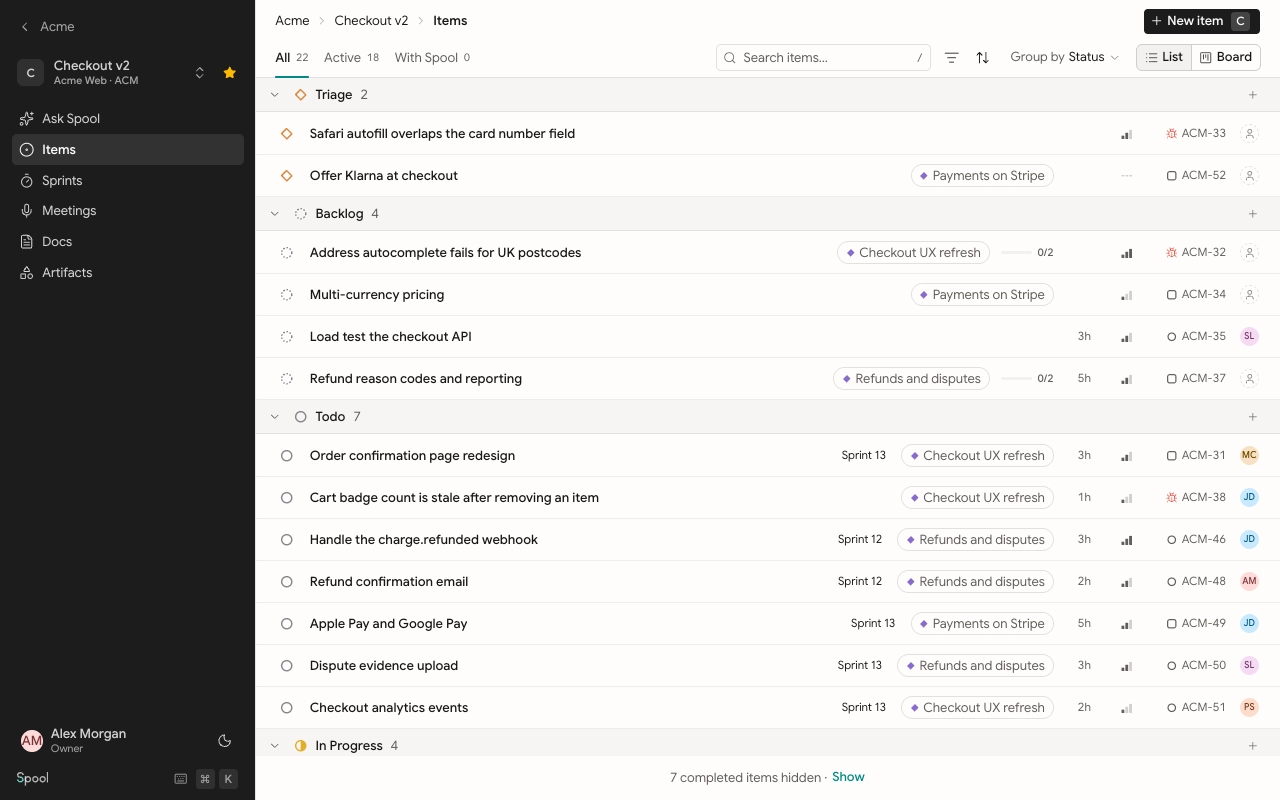
Who can work with items
Anyone in a team can read its items. What else you can do depends on your team role.
| Role | Read | Comment | Create, edit and delete |
|---|---|---|---|
| Team lead | Yes | Yes | Yes |
| Team member | Yes | Yes | Yes |
| Team viewer | Yes | Yes | No |
Workspace owners and admins can do everything in every team, even if they aren’t members.
In this section
Create and edit items
Status, priority and estimates
Views and filters
Comments, mentions and links