A sprint is a fixed block of time, one to four weeks, in which your team commits to a set of items. Sprints give the work a rhythm: you plan what fits, follow progress while it runs, then complete it and carry anything unfinished forward.
How sprints work
Each project has its own sprints. Open a project and click Sprints to find them. A sprint has:
- A name, such as “Sprint 12”. New sprints are numbered for you.
- A goal: one line the team can say out loud.
- Dates: a start date and a length of 1, 2, 3 or 4 weeks.
- A capacity in points, so you can see when a sprint is overfull.
- Items planned into it from the project’s backlog.
A sprint moves through three states:
| State | What it means |
|---|---|
| Planned | Created and being filled. You can edit or delete it. |
| Active | Running. Its progress shows on the Current tab. |
| Completed | Finished. Its totals are frozen and it shows on the Past tab. |
Usually one sprint is active at a time, but you can run sprints in parallel when two streams of work need their own timeline.
The Sprints page
The page has three tabs:
- Current shows the active sprint: its goal, days left, points and items done, a burndown, and a board of its items.
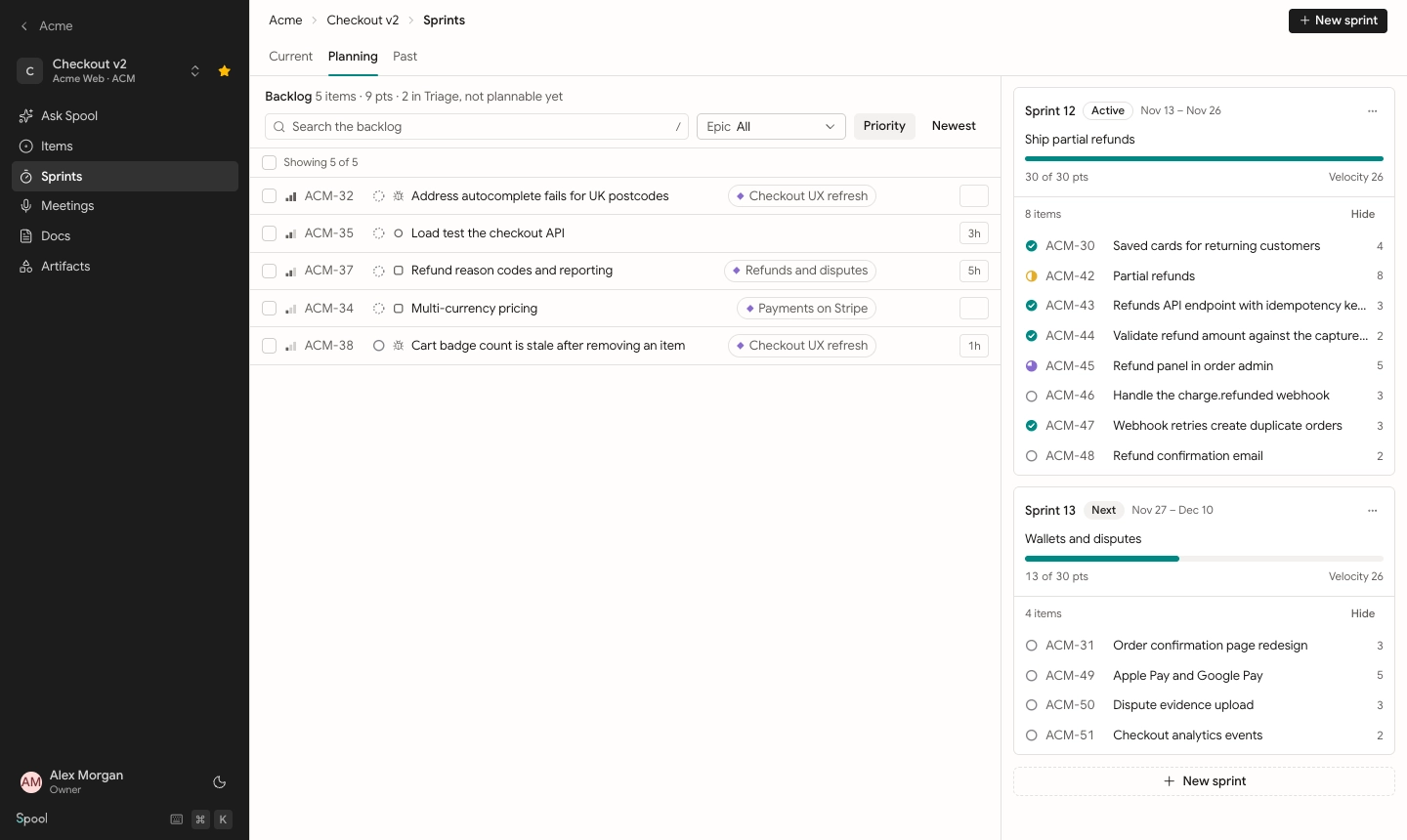
- Planning shows the backlog next to every planned and active sprint, so you can drag items into place.
- Past shows your velocity and every completed sprint.
What can go in a sprint
Standard items (stories, tasks and bugs) can be planned into a sprint of the same project. A few things stay out:
- Epics aren’t planned into sprints. Plan the items inside them instead.
- Triage items need to be accepted first.
- Done and Canceled items don’t appear in the backlog.
An item added to a sprint from Backlog moves to Todo, since sprint work runs from Todo to Done.
Who can manage sprints
Who can do thisTeam leads and members, plus workspace owners and admins
Creating, editing, starting, completing and deleting sprints needs the team’s sprint permission, which leads and members have by default. Moving items in and out of sprints needs permission to edit items. Viewers can see every tab but can’t change anything.
In this section
Plan a sprint
Run and complete a sprint